
People & access
Register, approve, and link a Cadet account
Why sign-in and roster records are separate, and how to connect them without creating duplicates.
Guide at a glance
How to use this guide
Start with
Have the person’s exact account email, unit, role, roster link, and any held position available before changing access.
By the end
The person can reach what their duty requires, cannot reach unrelated areas, and remains individually attributable.
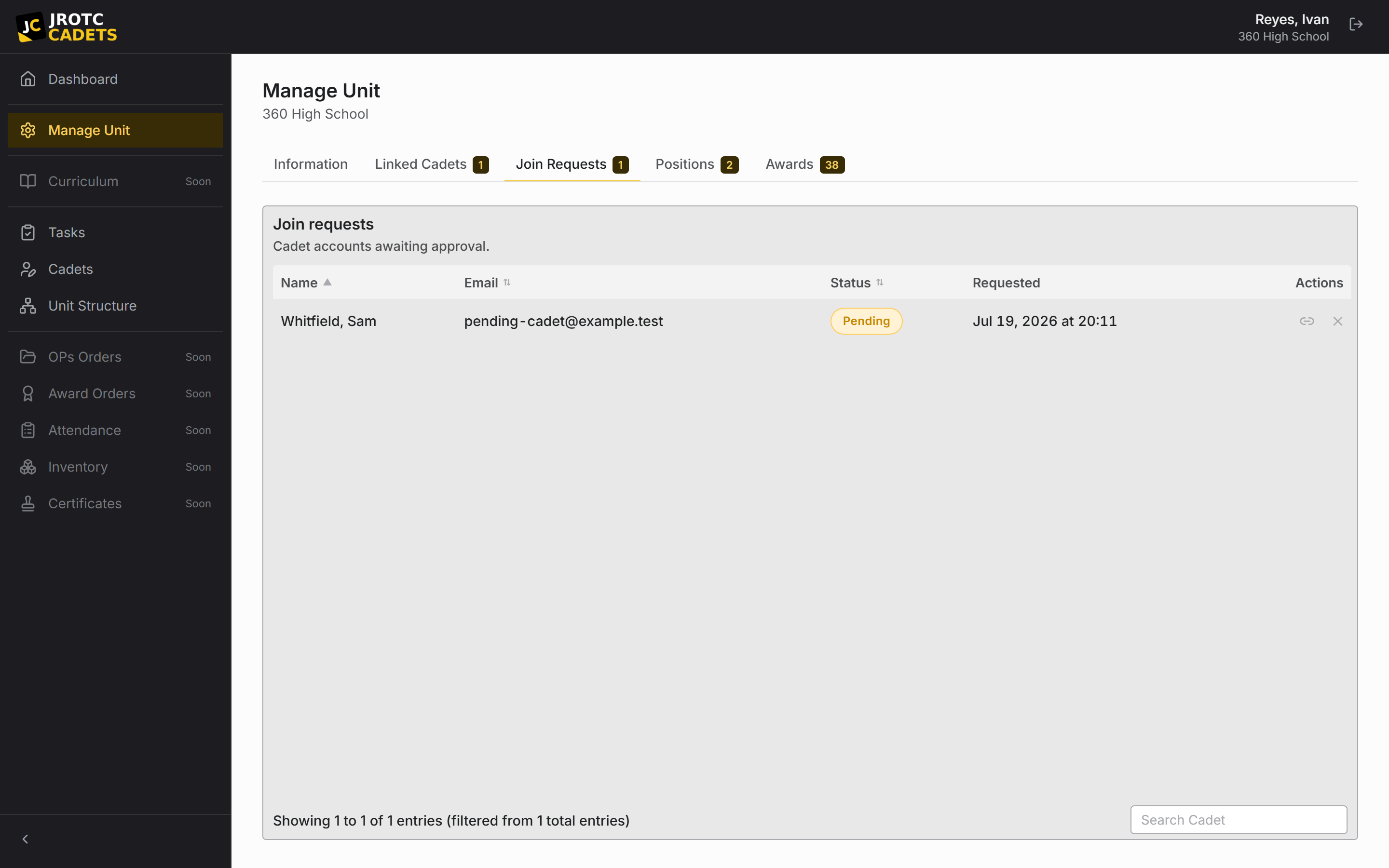
Account and roster record are different things
An account proves who is signing in. A roster record describes the Cadet inside the unit. Keeping them separate lets instructors prepare the roster before Cadets register and prevents a new sign-in from writing directly into official records.
Until an instructor approves and links the registration, the Cadet may be able to authenticate but has no useful unit record behind the account.
The linking workflow
- 1Create or locate the Cadet’s existing roster record.
- 2Ask the Cadet to register with an email address they can access.
- 3Open pending registrations and verify the person belongs to the unit.
- 4Match the registration to the existing roster record.
- 5Approve the registration and confirm the Cadet can see their own profile and assignments.
When the registration is not showing
- Ask the Cadet to read the exact email address from the sign-in screen.
- Check pending registrations before searching the active roster.
- Confirm they selected the correct unit during the registration path.
- Avoid creating another roster record while investigating.
If two records already exist
Do not delete either record until you know which one carries the linked account, taskings, and history. A casual deletion can remove the record that contains the useful audit trail.
Send support the school, unit, Cadet name, and both email addresses. Do not send a password or unnecessary student information.
Support can help identify the record to retain. Email support@allcadets.com.
Practical playbook
Checks, outcomes, and troubleshooting
Use this section when you are carrying out the task now, or when the ordinary path did not produce the expected result.
Before you act
- Search the roster by name and email before creating anything new.
- Ask the Cadet for the exact address used to register and confirm they selected the correct unit.
- Keep the roster record open while reviewing the corresponding join request.
Success looks like
- The registration is approved and linked to exactly one existing Cadet record.
- The Cadet can sign in, see their own profile, and reach only the unit features their role or position allows.
- The pending request no longer appears and no duplicate active record was created.
| What you see | Likely cause | What to do next |
|---|---|---|
| No join request appears | The Cadet used another address, chose another unit, or did not finish registration. | Read the address from their sign-in screen, confirm the unit, then have them complete the final registration step. |
| Approval succeeds but the dashboard is empty | The account was approved without being linked to the intended roster record. | Check the account-to-record link before adding or recreating any roster data. |
| Two records now exist | A second record was created during registration review. | Do not delete either record; preserve both while support checks the linked account, taskings, and history. |
When to contact support. Include the school, unit, Cadet name, registration email, and the point where the workflow stops. Never include a password.
Key terms in this guide
- Cadet record
- The unit’s authoritative operational record for one Cadet; it is separate from the account used to sign in.
- Registration
- The request to create or connect a sign-in identity. It is not itself an active roster record.
- Change request
- A proposed official change that keeps the current and proposed values available for review.
- Change history
- The attributable sequence of previous values, new values, actors, and times behind official changes.
Continue reading
Understand the Cadet record lifecycle
Create, maintain, drop, reinstate, and safely troubleshoot the unit’s official Cadet records.
Read nextRecover access to an account
A diagnostic path for forgotten passwords, missing reset email, locked-out instructors, and orphaned units.
Read nextSet up a unit from start to finish
The recommended setup order, with the dependencies and checks that prevent cleanup later.
Read next