




Cadet roster
One record per Cadet - course level, grade, rank, contact details and placement. Search and filter the roster, drop and reinstate Cadets, and export or print it for inspection.
Everything your program needs to manage Cadets, staff, awards, promotions, and daily operations. All in one place.
Speaks your branch’s language — its own structure
Capabilities
Not a spreadsheet with extra steps, and not a school information system bent into shape. The structure, the ranks and the approval chain are the ones your program already uses.
One record per Cadet - course level, grade, rank, contact details and placement. Search and filter the roster, drop and reinstate Cadets, and export or print it for inspection.
Build the echelons your programme actually uses and place Cadets in them. The vocabulary follows your service: Army units are battalions, companies and platoons; Air Force units are groups, squadrons and flights, and are never asked to call themselves battalions.
Define staff and command positions, then assign Cadets to them. A position carries its own permissions, so whoever holds the personnel billet can manage the roster without being given the keys to everything else.
Track work on a board, assigned to a named Cadet or to whoever currently holds a position. Checklists, due dates and overdue flags, so nothing depends on remembering.
Maintain the unit’s award list with the criteria and codes your program uses. Rank changes flow through the same approval path as everything else.
Every change is recorded - what changed, who changed it, and what the value was before. When a promotion or placement is questioned months later, the answer is on file.
Mobile app
All Cadets mobile brings the dashboard, Cadet roster, and day-to-day unit work to instructors and Cadets wherever the day takes them.
Join the launch list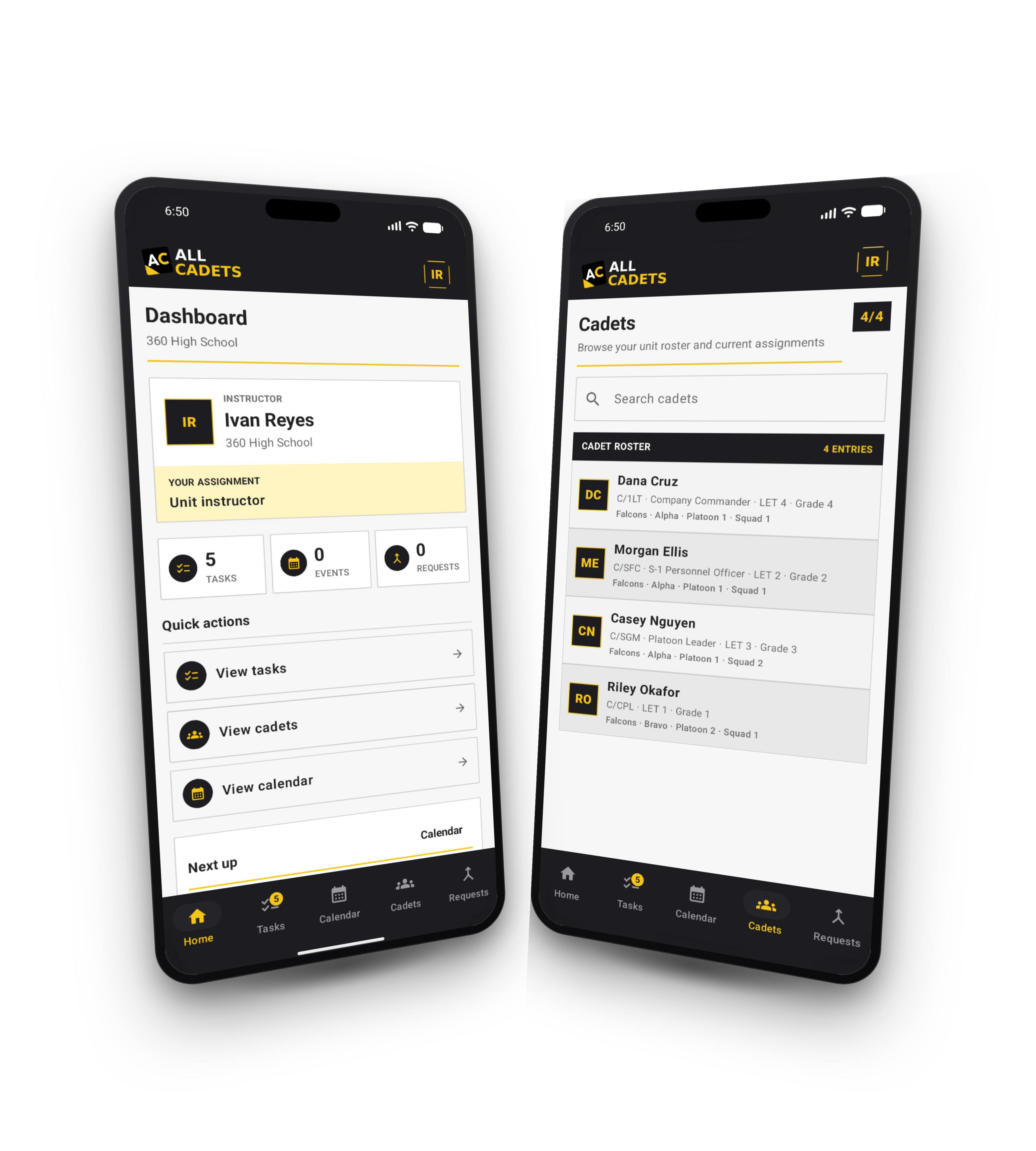
Delegation
Staff Cadets should be able to maintain the unit’s records - that is the point of a Cadet staff. The approval queue is what makes handing that over safe.
A Cadet with a staff position can propose a change - a promotion, a squad move, a new record. It is held as a request rather than written straight to the roster.
Each request shows the current value beside the proposed one. Approve it and it applies; deny it and the roster is untouched. The Cadet is notified either way.
Trusted positions can be granted the ability to skip approval entirely. Everyone else contributes without any risk to the official record.
Why this exists
Leadership happens with your Cadets, not behind a spreadsheet. Spend less time managing paperwork and more time building leaders.
Built for units of every service branch. Not affiliated with or endorsed by the U.S. Department of Defense or any of its branches.
Assurance
You are holding minors’ records on a school network. The controls below are how the system is built, not options you have to configure.
Pricing
No per-instructor licences and no modules sold separately. A platform fee, plus capacity for the number of Cadets you actually carry.
Your first year
Freeup to 50 Cadets
The platform fee and your first block of 50 Cadets are waived for a full year. Larger units add capacity at $100.00 per block.
No card required to begin.
After the first year
$100.00 per block of 50 Cadets, about $2.00 per Cadet. Add blocks mid-year as the program grows, and you are charged only for the blocks you add.
Example annual cost
| Cadets | Per year |
|---|---|
| up to 50 | $800 |
| up to 100 | $900 |
| up to 150 | $1,000 |
| up to 200 | $1,100 |
Questions
The things instructors ask before putting a unit’s records into something new.
Contact
Questions about whether this fits your program, or what your district needs to sign off on, ask before you create an account.
Mailing address
All Cadets LLCSupport hours
First year free
Create an instructor account, build your program structure, and bring your roster across. The first year is free for up to 50 Cadets.